
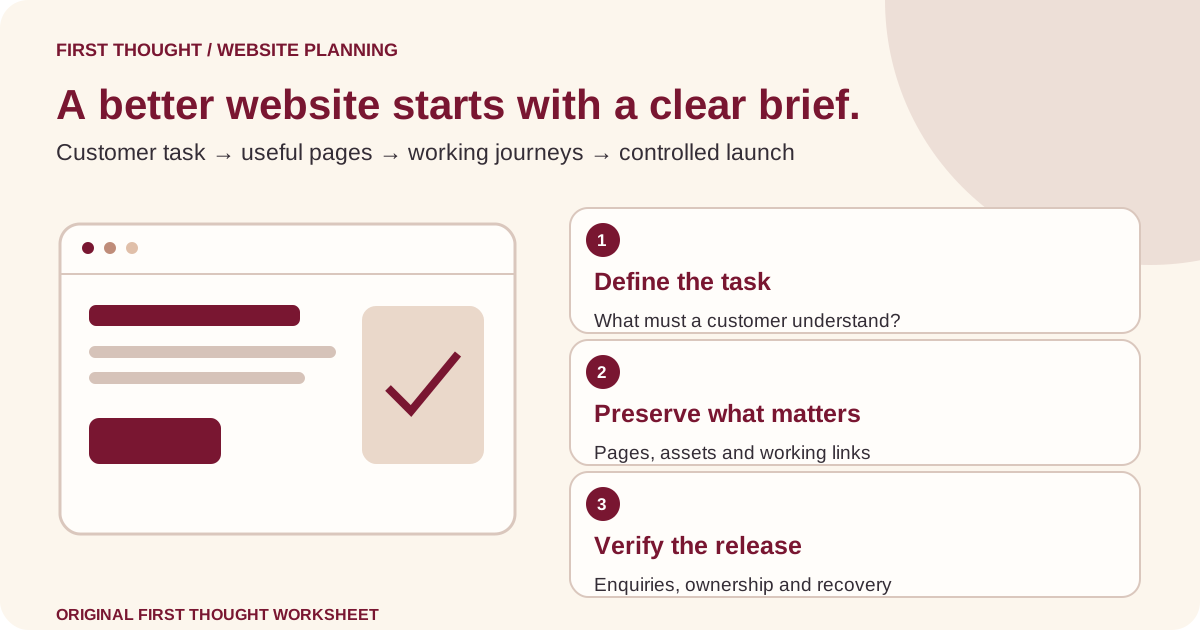
The short answer: agree what must work before agreeing how it looks
A small-business website redesign checklist should define the customer task, preserve useful existing content, map any changed URLs, confirm who receives enquiries and set clear launch conditions. Review the design on real customer journeys, then publish only when the responsible people can verify the pages, contact routes and recovery plan.
This guide is for an owner planning a new version of an existing business website. It includes a project brief, a comparison matrix, an editable launch worksheet and practical acceptance checks. The examples are illustrative. They are not First Thought client projects, measured outcomes or a promise that redesigning a website improves rankings or sales.
A redesign can change several things at once: the wording, layout, platform, hosting, URLs and forms. Separate those decisions in the brief. A team cannot sensibly estimate or review the work if “make it modern” is the only requirement. Start with the smallest change that solves the confirmed customer problem, and record what evidence would justify a larger rebuild.
Write a brief around one customer decision
Choose a visitor and a decision. For example, an illustrative furniture workshop might want customers to understand which types of custom work it accepts before requesting a quotation. That is more useful than a vague objective to look premium. It helps the team decide which information, photos and form questions belong on the page.
Write the current problem in observable terms. “The contact form delivers to an unattended mailbox” is a problem that can be checked. “The site feels old” is a preference that needs discussion. Both can matter, but they should not be presented as the same kind of evidence. Include screenshots or customer feedback where permission allows, without circulating unnecessary personal information.
Define the desired action and the person responsible after it happens. A booking request, product enquiry and brochure download are different tasks. A redesign brief should explain which one matters, what the customer expects next and how the business will handle it. Otherwise the new interface may simply send more confusion to the same team.
Use this brief format: audience; customer question; current evidence; desired action; required content; required integrations; factual reviewer; delivery owner; launch conditions. Add explicit exclusions. If a multilingual catalogue, payment system or CRM migration is outside the project, record that early rather than discovering the disagreement during handover.
Decide whether you need a refresh, a rebuild or a move
A visual refresh changes presentation while keeping much of the existing structure. A rebuild changes how the website is assembled or maintained. A migration changes where content lives or how its URLs are addressed. Projects can combine these, but each introduces different responsibilities. Ask the supplier to identify which decisions are actually part of the proposal.
| Project type | Typical reason to consider it | Question before committing |
|---|---|---|
| Content improvement | Customers cannot understand the offer | Can clearer copy and navigation resolve the issue? |
| Visual refresh | Useful content is difficult to read or present consistently | Can existing templates support the required changes? |
| Functional rebuild | The current system cannot support a necessary workflow | Who will maintain the replacement and its integrations? |
| Hosting or platform move | Operational requirements justify a change | What happens to URLs, forms, access and recovery? |
| Combined project | Several verified problems depend on each other | Can the team define and review each part separately? |
The matrix is an editorial decision aid, not a market price guide. A supplier should investigate the current system before recommending a platform. Request a written explanation of what the proposed change enables and which existing problems it does not solve. More features do not automatically mean a more useful business website.
For a business with a small team, consider the maintenance burden alongside the launch design. Who can update a price, correct a phone number or remove an expired promotion? If every small edit depends on an unavailable specialist, the website may become inaccurate quickly even when its initial design is attractive.
Make an inventory before deleting or rewriting pages
Create a list of current public URLs and their purposes. Include service pages, contact routes, articles, useful downloads and campaign destinations. Ask the owner which pages customers or staff rely on. When authorised data exists, add relevant search and analytics evidence with its date range. Unknown traffic is not evidence that a page has no value.
Give each URL a proposed treatment: keep, improve, combine, replace or remove. Add a reason and a responsible reviewer. If several pages appear to answer the same question, compare the actual content before combining them. Two similar titles can still serve different readers, locations or stages of a buying decision.
Look beyond the navigation menu. An old quotation PDF may still be linked from emails. A campaign may send paid clicks to a page nobody remembers. A downloadable specification may help sales staff explain a product. Record those dependencies so the redesign does not silently break work elsewhere in the business.
Separate preservation from endorsement. Finding an old claim on the website does not prove it is still accurate. Flag unsupported testimonials, obsolete services and unclear image permissions for review. Carry forward useful material only after the relevant person confirms it. A redesign is an opportunity to improve the evidence, not just copy every old sentence into a new template.
Give every changed URL an explicit destination
If URLs will change, prepare an old-to-new mapping before launch. Google’s site-move guidance recommends mapping URLs, updating internal links and using appropriate permanent redirects where possible. It also warns against sending many old pages to an irrelevant destination such as the homepage.
For each important old URL, record its intended replacement and why that replacement serves the same visitor need. If there is no suitable replacement, ask the developer how removal should be handled. Do not turn every missing article, service or PDF into a generic redirect simply to avoid seeing an error page.
Give the developer a mapping that can be checked independently of the design presentation. After implementation, follow selected old links and confirm they reach the intended final page. Include campaign links and downloadable resources in the review. This guide describes planning and acceptance; the exact implementation depends on the website and hosting system.
Keep an owner-approved copy of the mapping with the project records. If a route changes again later, the next team should understand why the earlier decision was made. A clear record is also useful when a customer reports that an old bookmark or email link no longer leads where expected.
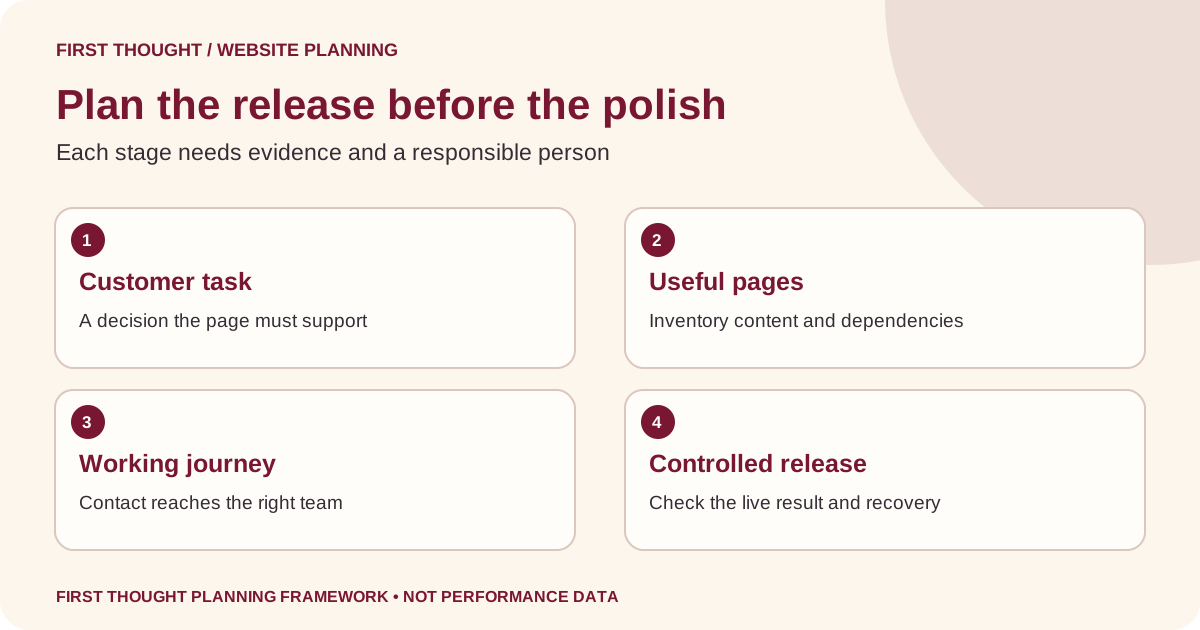
Review content before polishing individual screens
A service page should help someone understand the offer, its fit, the process and the next step. Start with those questions before choosing decorative elements. Useful information includes what the business actually provides, what inputs it needs, relevant limitations and how a customer can obtain a suitable quotation or appointment.
Avoid giving the same primary purpose to several new pages without a clear reason. Keep a page-to-intent map so the homepage, service pages and articles have distinct jobs. A service page helps evaluate an offer; an article may teach a specific task. Natural keywords can clarify the subject, but an unrelated list of locations or services makes the reader work harder.
Google’s SEO Starter Guide supports clear, useful content and descriptive presentation. Use accurate titles, sensible headings, meaningful links and appropriate image descriptions. Ask the reviewer whether each title matches the actual page, rather than treating a keyword phrase as permission to make a broader claim.
Prepare real text and approved images before signing off layouts. A design that works only with a short placeholder heading may fail when a real service name wraps across lines. Likewise, an empty case-study card should not be filled with an invented customer result just because the layout expects a number.
Turn the design review into practical customer tasks
Instead of asking only whether the team likes a screenshot, ask someone to complete a realistic task. Can they identify a suitable service, find relevant details and explain the next step? Watch where they hesitate. Record the observation and its context, without treating one person’s experience as a statistically representative study.
Include a small screen in the review. Check whether menus, tables, images and contact controls remain usable at the available device sizes. Use real service titles and realistic content lengths. Where possible, review on an actual phone as well as a browser preview; mark unavailable device checks honestly instead of listing them as passed.
Try the important journey with a keyboard. Can a user identify the focused control and reach the main content? Is the order understandable? W3C’s page-structure tutorial explains meaningful regions and logically organised headings. These support navigation; an attractive visual hierarchy alone does not establish accessible structure.
Ask the supplier how accessibility issues will be assessed and corrected within scope. An automated report can reveal some problems but is not a complete evaluation of the experience. Keep the review focused on specific findings, such as an unlabelled field or a menu that cannot be reached, and identify the person responsible for resolving each one.
Plan images and performance together
An image should answer a customer question or explain a relevant idea. A genuine product photo, recognisable entrance or useful process illustration has a clear job. Decide where it belongs and what the surrounding text explains. Do not add a large decorative asset simply because the page has unused space.
Use an image brief covering subject, intended crop, usage rights, approval and delivery formats. Keep original files separate from website exports. Our product photography brief template provides a practical starting point for shot planning. Diagrams can explain a workflow, but should not masquerade as photographs of real premises or completed client work.
Ask the developer to measure important pages before and after the redesign under stated conditions. The Web Vitals guidance distinguishes loading, responsiveness and visual stability through LCP, INP and CLS. Record the tool, URL, device conditions and whether the result is a lab test or real-user field data. A score without that context is difficult to interpret.
Prioritise problems that interrupt the task: a shifting button, delayed useful content or a heavy gallery that prevents the contact route from becoming usable. Agree a performance review process before approving effects and integrations. A visually impressive demonstration on one fast laptop is not proof that customers will receive the same experience.
Specify the enquiry handoff before connecting forms
List each contact route and its intended receiver. A website may have a general form, a quotation form, a telephone number and a messaging link. The customer should understand which one to use and what response to expect. The team should know where the resulting enquiry arrives and who follows up.
For every form, ask why each field is needed. Keep the request proportionate to the task. Clearly label controls and explain required information or errors. W3C’s forms tutorial offers implementation guidance for usable, accessible forms. Do not rely only on placeholder text to explain what someone should enter.
Make authorised test submissions with a clear test label. Confirm the receiving system, notification and expected handoff, then remove the test records through the agreed process if appropriate. A success message in the browser is only one part of the journey; it does not prove the business received or acted on the enquiry.
Agree how website enquiries will be distinguished from marketing results. A form event is not automatically a qualified prospect or sale. Use the small-business marketing report template to separate available website activity from confirmed business outcomes. Record data gaps so the report does not silently convert missing information into zero performance.
Set launch gates and a recovery plan
Write down the conditions that must be met before publication. Include approved facts, working customer routes, agreed URL handling, access ownership, important page checks and a named decision-maker. A launch date should help coordinate the work; it should not become permission to ignore a failed critical check.
Confirm what can be restored if the release fails. Website files, content, configuration and privately stored business data may have different recovery requirements. Ask the responsible technical person to explain the backup scope and recovery procedure. A screenshot of the old website is a reference, not a restorable backup.
Define who can pause or reverse the release and what evidence would trigger that decision. For example, an illustrative project might treat a broken enquiry path as a launch blocker while scheduling a minor spacing correction for later. The distinction should be agreed by the owner, not invented by a developer under time pressure.
Keep private access credentials out of the launch worksheet. Record responsible roles and approved access arrangements instead. During handover, ensure the owner knows where the website is hosted, how content is maintained and who handles renewal or operational questions. Agree maintenance responsibilities separately from the one-time redesign deliverables.
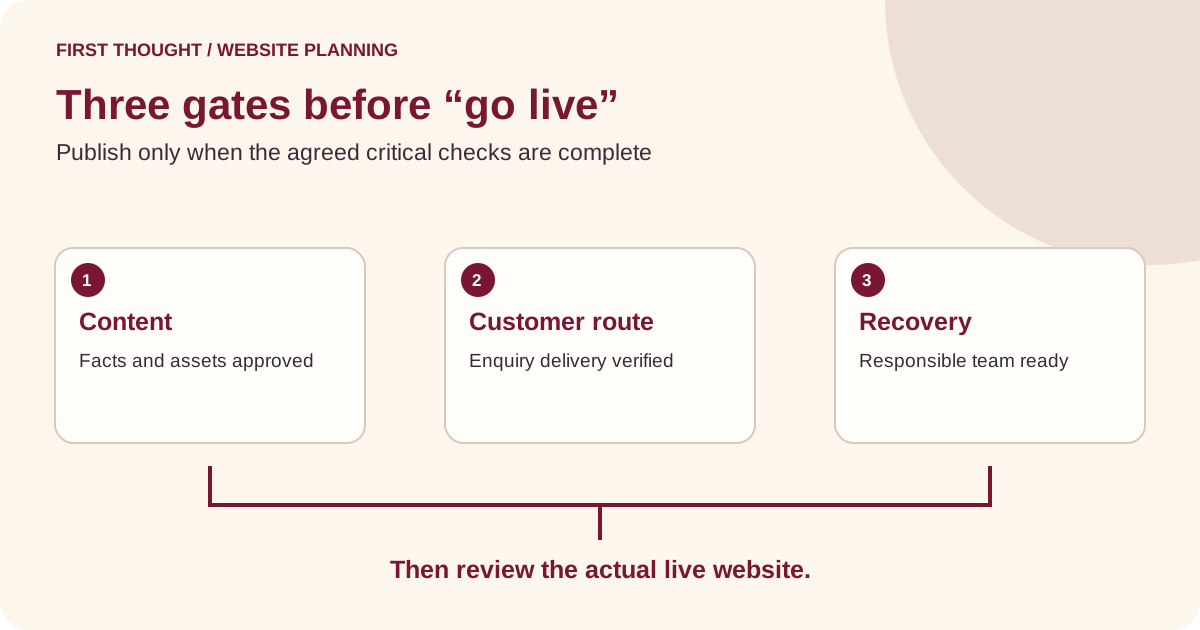
Use this website launch checklist with your supplier
This table is a practical review aid. It is not a complete technical audit or a substitute for checks specific to ecommerce, regulated services or a complex integration.
| Gate | Question to resolve | Evidence to keep |
|---|---|---|
| Scope | Does the delivered work match the agreed brief? | Approved scope and recorded exclusions |
| Content | Are services, claims and contact facts approved? | Named factual reviewer and dated sign-off |
| Discovery | Can visitors reach important pages? | Navigation and internal-link review |
| URLs | What happens to important old destinations? | Mapping and checked outcomes |
| Experience | Can customers complete the task on available devices? | Specific desktop, mobile and keyboard observations |
| Enquiries | Does the business receive the intended message? | Authorised test result and receiving owner |
| Search setup | Are public-page signals intentionally configured? | Technical review of relevant output |
| Measurement | Is the agreed reporting setup working as intended? | Dated checks and known limitations |
| Recovery | Can the responsible person restore the required state? | Backup scope, reference and recovery procedure |
| Handover | Who maintains content and integrations afterward? | Access and responsibility record |
Download the website redesign checklist CSV. It provides blank owner, evidence and status fields. Use pending when a check is incomplete, rather than copying a tick from a template into a project that has not been inspected.
Review the release after customers can actually use it
Immediately after publication, open the intended live domain and follow the highest-priority journey again. Check the actual public page rather than the private preview. Confirm key destinations and the enquiry receiver. If the result differs from the approved version, capture the specific difference and involve the responsible person before making unrelated changes.
Over the following review period, examine available search, analytics and enquiry evidence together. Use consistent date ranges and record material changes such as opening hours, campaigns or service availability. A different design and a different advertising budget launched together make it harder to attribute any outcome to the redesign alone.
Search indexing can take time, and a successful deployment is not confirmation that a new or moved page has been indexed. Keep technical eligibility, observed visibility and business results as separate fields in the review. Do not promise that a redesign will preserve every position or produce an immediate increase in traffic.
Choose the next improvement from evidence. Perhaps visitors understand the service but need clearer delivery information. Perhaps the form works but routes enquiries to the wrong team. A short issue list with a responsible owner is more useful than another round of aesthetic changes that leaves the main customer problem unresolved.
Frequently asked questions
How long should a small-business website redesign take?
There is no reliable universal timeline without a scope. The page inventory, content readiness, integrations, reviews and migration requirements all affect the work. Ask for milestones, dependencies and review responsibilities. A supplier should explain which owner inputs can delay delivery and how changes to the brief will be handled.
Should we change our domain during the redesign?
Only when there is a separate business reason and an appropriate migration plan. A new design does not automatically require a new domain. Ask the technical team to explain the impact on website addresses, customer links, email dependencies and monitoring before approving a combined change.
Can a redesign improve SEO and AI-search visibility?
It can address practical issues such as unclear content, difficult navigation or inaccessible information. That does not guarantee rankings or AI citations. Define the actual problem, implement the relevant improvement and measure the available evidence. Do not purchase a redesign solely because someone promises a particular Google position.
Is a launch checklist enough to prove accessibility?
No. A checklist records selected checks and their outcomes. Accessibility assessment requires appropriate methods and scope, including human evaluation where needed. Ask what was assessed, on which pages and devices, and which issues remain. Do not label an entire website compliant because one automated tool returned a favourable result.
What should be included in the final handover?
Keep the approved content, page inventory, relevant URL mapping, asset permissions, maintenance responsibilities and operational contacts together. Confirm that the owner has the intended access through appropriate platform permissions. Document any ongoing costs and unfinished items. Never treat passwords pasted into an ordinary shared worksheet as a handover process.
Bring a clear brief to your next website conversation
Start with the customer decision, the current evidence and the smallest useful scope. Bring your existing website link, important pages, required contact routes and the questions your team cannot yet answer. This makes a redesign proposal easier to compare and a completed website easier to review.
Explore First Thought’s website and landing-page service or share your requirements. We can use the brief to discuss an appropriate scope, content needs and implementation responsibilities. The objective is a website the business can explain, maintain and use—not an unverified promise about what a new design will achieve.
Sources & further reading
Google Search Central: site moves with URL changes ↗Google Search Central: SEO Starter Guide ↗W3C WAI: page structure ↗W3C WAI: forms tutorial ↗web.dev: Web Vitals ↗Practical frameworks are First Thought editorial recommendations. Hypothetical examples are not client results.