
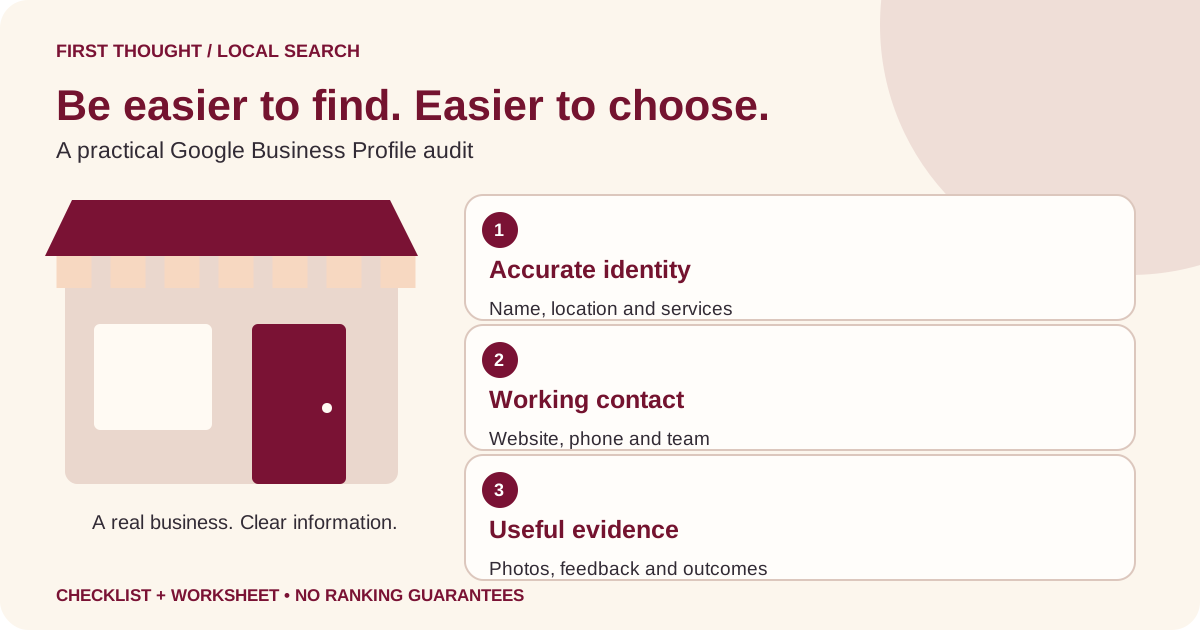
The short answer: make your profile accurate, useful and measurable
A Google Business Profile optimization checklist should help a real customer identify your business, understand its services and take the right next step. Start with ownership access, accurate business details, a suitable category, working contact routes, genuine photos and a responsible review process. Then measure enquiries and customer outcomes rather than treating profile views as sales.
This guide is for small-business owners who already have a listing, or need to check an existing one before making changes. It uses the current name Google Business Profile; Google My Business and GMB refer to the older name people still search for. The worksheet and examples below are First Thought editorial planning tools, not evidence of a ranking improvement.
Google describes local results through relevance, distance and prominence. It does not offer a way to pay for a better local ranking. That makes accurate information and useful customer experiences a more sensible starting point than promises of an instant number-one position. See Google’s local ranking guidance.
Begin with an owner-controlled baseline
Before editing a field, identify who can manage the listing. A public profile being visible on Maps does not mean the Google account currently open in your browser can edit it. Record the intended business account, the responsible person and whether the profile’s management controls are available. Do not put passwords or verification codes into a shared audit spreadsheet.
If an employee or previous agency set up the account, resolve access through the appropriate owner or Google’s support workflow. Avoid creating another profile simply because you cannot edit the existing one. A duplicate introduces a second set of details that you must reconcile and may confuse customers.
Save a dated baseline: the public profile link, visible name, phone, website destination, hours and a screenshot of the customer-facing view. Separately record any performance period you can actually access. Mark unavailable information as unavailable. This creates a reference for correcting accidental edits and prevents a later report from calling old information a new result.
Use a simple change log with four questions: What changed? Why was it needed? Who confirmed the fact? What did the public page show afterward? Keep changes small enough to inspect. If the website, profile and social accounts disagree, investigate which fact is current before copying one into every channel.
Use this Google Business Profile audit checklist
Work through the checklist in order. An incorrect phone number deserves attention before a decorative post. The priorities are editorial recommendations, not Google ranking weights.
| Area | What to inspect | Useful evidence | Priority |
|---|---|---|---|
| Management | Correct owner or manager can access the profile | Controls visible in the intended account | First |
| Identity | Name matches the real business | Owner confirmation and real-world materials | First |
| Location | Address or service area reflects actual operations | Confirmed operating model and customer access | First |
| Contact | Phone and website reach the right business | Completed manual journey check | First |
| Hours | Regular and exceptional hours are current | Responsible team member confirms schedule | High |
| Category and services | Offer is described accurately | Current service list and scope | High |
| Images | Photos help customers recognise and evaluate the business | Current images with permission | Next |
| Reviews | Feedback is monitored and answered responsibly | Review log without private customer details | Ongoing |
| Updates | Each post communicates something useful and current | Valid destination, terms and dates | As needed |
| Measurement | Profile interactions connect to an enquiry process | Dated reports and separate lead outcomes | Ongoing |
Download the editable checklist CSV. It contains blank evidence and action fields, not invented performance data. Open it in your preferred spreadsheet application and assign one responsible person to each unresolved item.
Check the name, location and category without adding noise
Keep the business name grounded in its real identity. Google’s representation guidelines require accurate business information and restrict unnecessary additions to the name. An owner should check the specific policy before renaming a listing or changing how its location is represented. A website headline and a Business Profile name serve different purposes; neither is a reason to rewrite the real business identity.
The same guidance distinguishes storefront and service-area arrangements. Do not assume that a rented mailing address or every city you can serve creates an eligible physical location. Review the business’s actual operating model against Google’s representation guidelines before changing address visibility or creating locations.
For your internal audit, write a plain sentence describing what customers buy. A bakery might focus on made-to-order celebration cakes; a repair business might primarily provide appliance repairs at customers’ premises. These are illustrative descriptions, not category recommendations. Compare that sentence with the categories currently available to the business, and choose only accurate options after checking the interface and policy.
Then reconcile the service list. An old offer may still appear in a profile long after the website stopped describing it. Ask the responsible person whether it is still available, who delivers it and where an interested customer should go. Mark an uncertain service for confirmation rather than deleting it or expanding it based on a guess.
Treat contact details as a customer journey
A correct-looking link can still lead to an unhelpful destination. Open the profile website link as a customer would. Does it land on the intended business website? Does the page explain the relevant service? Is the contact option visible on a phone? If an appointment link is offered, can the customer understand what happens after using it?
Make one authorised test of your own enquiry path, clearly marked as a test. Confirm that the intended team receives it and knows how to respond. Avoid entering fabricated customer enquiries into another business’s system or collecting personal information just to fill a worksheet. Record only the result needed to fix your own process.
Check the phone with the person responsible for answering it. A number can belong to the business yet be unsuitable if nobody handles enquiries during the advertised hours. Agree how missed calls are reviewed and how genuine customers can get help. A more accurate listing cannot repair an enquiry that never reaches the team.
For hours, separate a schedule change from a one-off exception. The owner or operations team should confirm the relevant dates. Set a reminder before a known holiday or temporary closure, then inspect the public display after editing. Do not advertise constant availability merely because messages can arrive outside working hours.
Explain services in the language customers actually use
Start with customer questions, not a list of every keyword an agency wants to target. What is included? Who is the service for? What does the customer need to provide? What is excluded? What determines the price or next step? Clear answers help someone decide whether to enquire and reduce avoidable back-and-forth.
Build a small service inventory with a name, one-sentence explanation, availability status and destination URL. A photographer, for example, could distinguish product-only images from images involving models or a styled location. That example shows how to clarify scope; it does not establish that every photographer offers those packages.
Natural supporting terms belong where they describe the offer. A page about local SEO for a small business can explain profile accuracy, service pages and measurement. Repeating “best company” across unrelated descriptions adds no useful evidence. If you cannot substantiate a superlative, use concrete information about the process and deliverables instead.
Keep the profile concise and let the relevant website page provide depth. Our guide to choosing a digital marketing agency in Bareilly covers buying questions, while the SEO and AEO service page explains First Thought’s approach. Those are different customer tasks and should remain distinct.
Choose genuine photos that answer practical questions
Plan images around uncertainty. Can a visitor recognise the entrance? Understand the working environment? See what the product looks like? Identify an appropriate example of the service? A useful photo makes an unfamiliar business easier to assess; a generic image may look polished while answering none of those questions.
Create a short image brief before the shoot. Record the intended use, subject, required permissions, responsible reviewer and whether sensitive information could appear in the frame. Check computer screens, delivery labels, customer faces and documents before publishing. Original business photos and editorial diagrams have different roles: a diagram can explain a process, but should not impersonate a real office or completed customer project.
Google provides photo and video management guidance. Check its current requirements before uploading. Preview the crop on a phone and remove accidental personal information. Keep an organised original copy so a future team member can identify what was approved and why.
There is no need to manufacture a photo quota. Review images when the premises, team, product range or service changes. For planning original visual assets, use our product photography brief template, adapting its shot-list process to your actual business rather than copying a fictional example as a real portfolio.
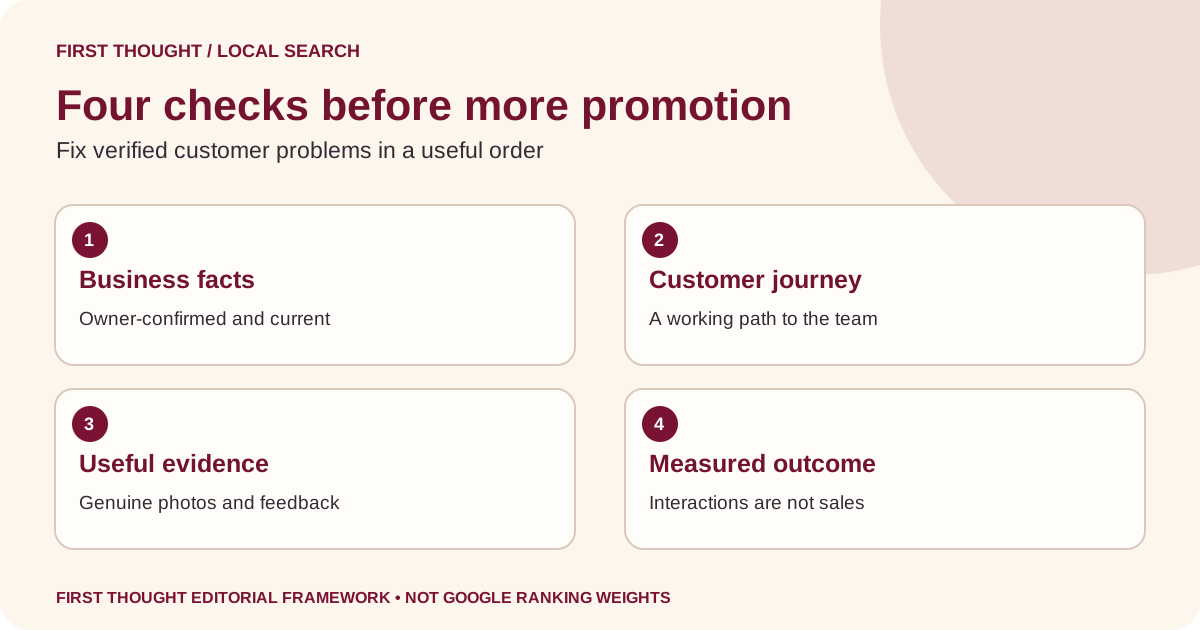
Build a review process your team can maintain
Assign someone to check new feedback and decide when an issue needs an owner’s involvement. A short, specific response is generally more useful than a long promotional paragraph. Read what the customer actually said, acknowledge the relevant point and offer an appropriate next step without publishing private order or customer details.
Google explains how verified businesses can manage and respond to reviews. Check current review policies before requesting feedback. Do not treat a marketing target as permission to invent reviews, offer rewards for praise or pressure customers into changing an honest account of their experience.
Use a simple internal classification: positive feedback to acknowledge, a practical service issue to investigate, or content that may require a policy review. Do not assume an unwelcome review is automatically removable. A public response is not the place to argue about sensitive customer records. Move the detailed resolution into an appropriate private business channel when needed.
Keep the log focused on actions rather than copying private information into another system. Record that a response was reviewed, who owns the follow-up and whether a recurring operational problem needs attention. Our Google review response examples provide language patterns, but every reply should fit the actual feedback.
Publish updates when there is something worth knowing
A useful profile post answers a timely customer question: What changed? When is it available? Who is it for? What conditions apply? Where can I find the full details? An event, genuine service update or clearly explained offer can be worth publishing. Repeating the same advertisement each day is not a substitute for a useful announcement.
Google’s Business Profile post guidance describes update, offer and event formats, and notes that publication is subject to review. Choose a format that matches the information. Do not report a post as live while its status is still pending or not approved.
Before submitting, check the image, dates, destination and any conditions. Imagine someone sees the post after the team has forgotten about it: will the landing page still explain whether the offer is available? Give expired campaigns a responsible owner, just as you would give a website promotion an end date.
A monthly planning sheet can hold candidate updates without creating a posting obligation. For example, a fictional repair shop might prepare an update about changed opening hours and a separate explanation of how to book an inspection. These are planning examples, not posts from a First Thought client and not evidence of additional enquiries.
Measure interactions separately from qualified enquiries
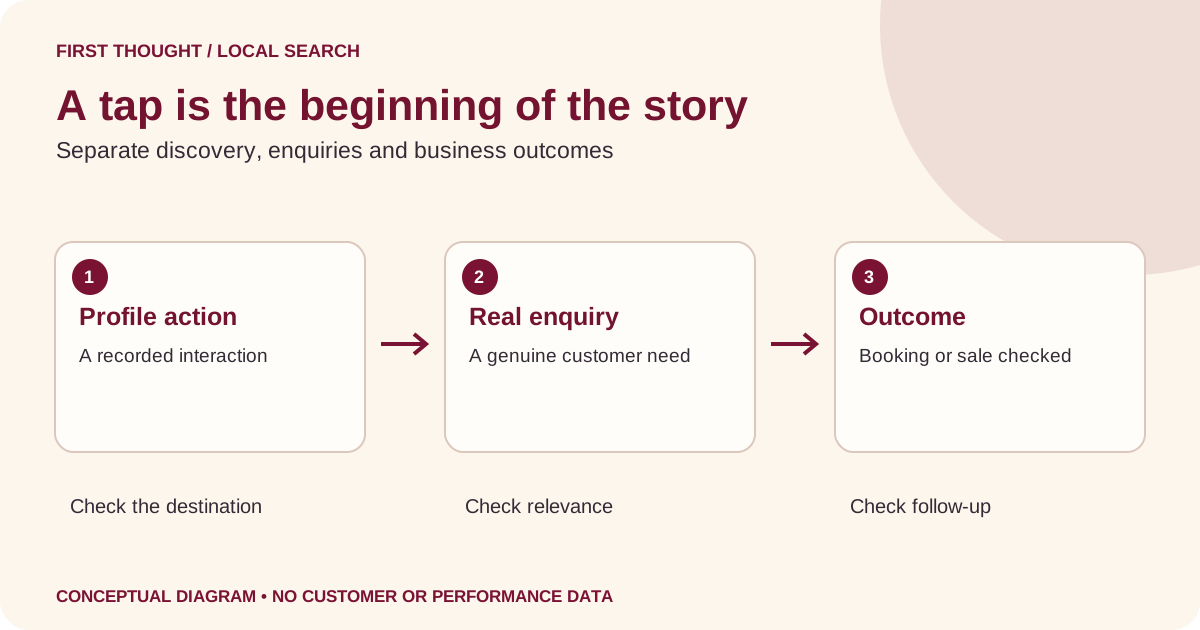
Start with the report definitions. Google’s Business Profile performance guidance explains which interactions may be available for a verified profile. A call metric counts clicks on the call button; it is not a count of completed conversations. Website clicks are not automatically sales. Record the selected period alongside every exported figure.
Keep three layers in your working report: profile discovery, recorded interactions and business outcomes. A marketing team may manage the first two, while the business team knows whether a genuine enquiry led to a booking or sale. Agree how those teams will share an outcome summary without unnecessarily circulating personal details.
If available, use consistent campaign labels on permitted website links so your analytics team can distinguish a tagged visit. Our UTM tracking guide for GA4 explains naming and privacy precautions. Different tools count different events, so a profile click total and an analytics session total should not be forced to match.
In the monthly review, ask what changed in the customer journey before claiming success or failure. A closure, different opening hours, a broken form or slower follow-up can affect the usefulness of discovery. Write “outcome not yet known” when the evidence stops at an interaction. That is more actionable than presenting every tap as a lead.
Use a decision matrix when performance changes
The matrix below is an investigation guide, not a diagnosis. Multiple explanations can be true at once. Compare appropriate periods and note missing data before changing the profile.
| Observation | First question | Practical next check |
|---|---|---|
| Public details are wrong | Which information is owner-confirmed? | Reconcile the source and inspect the corrected display |
| Website clicks exist but enquiries seem absent | Does the destination work? | Check the form, call route and receiving team |
| Enquiries arrive but are unsuitable | Is the offer and service area clear? | Review real enquiry reasons and service-page scope |
| Reports differ between platforms | Are they counting the same action? | Compare definitions, dates and tracking setup |
| Visibility appears lower | Is the comparison reliable? | Check selected period, changes and available search data |
| A ranking screenshot looks different | Where and how was it captured? | Record location, query, device and time before comparison |
A practical first-month maintenance plan
In the first review, focus on access and customer-facing errors. Confirm the intended account, save the baseline and correct verified mistakes through the proper workflow. Assign unresolved facts to someone who can answer them. A blank field in your spreadsheet is acceptable when the alternative would be an invented fact.
In the next review, examine the destination experience and service clarity. Ask someone unfamiliar with the business to describe what they think it offers after viewing the profile and linked page. Treat their confusion as a research observation, not a universal customer opinion. Fix one important ambiguity and record what changed.
Then review visual evidence and feedback handling. Plan any genuinely needed photos, check permissions and agree who will monitor reviews. Prepare an update only if something useful has changed. Keep a record of approvals so a future team member can distinguish planned work from published material.
At the end of the month, compare the available reports with the baseline and discuss enquiry quality with the business team. Choose one next action, its owner and the evidence that would make you reconsider it. This is a proposed working rhythm, not a promise that a profile will improve within a month.
Frequently asked questions
Is Google My Business the same as Google Business Profile?
Google Business Profile is the current product name. Many owners still use Google My Business or GMB when asking for help. Use the current name in your working records and describe the actual task clearly, such as correcting hours, checking ownership or reviewing profile interactions.
How often should a small business update its profile?
Correct important inaccuracies when they are confirmed. Review the profile regularly according to your team’s capacity, and revisit it when services, hours or contact details change. A schedule helps assign responsibility; it does not mean every field needs a daily edit or every day needs a promotional post.
Will adding more keywords guarantee a higher Maps ranking?
No. Use accurate descriptions that help customers understand the business. Repeating locations or promotional phrases cannot establish the quality or suitability of an offer. Google makes its own local ranking decisions; the useful goal is a correct profile, helpful destination and measurable enquiry process.
Does this also guarantee visibility in AI answers?
No. A consistent business identity and accessible website can support clear understanding, but they do not establish that any particular AI service will cite or recommend a business. Observe each platform separately and record the exact query and date rather than extrapolating from a Maps result.
Should we create a separate profile for every city we want to serve?
Do not use marketing ambition as evidence of a location. Check the current eligibility and representation guidance against your actual operations before creating or changing profiles. For a website, explain genuine service coverage without inventing offices or making near-identical pages for unsupported locations.
What should we send an agency before a profile audit?
Share the public profile link, confirmed business facts, current service scope, relevant website pages and the business goal. Arrange appropriate account permissions through the platform. Keep passwords, verification codes and unnecessary customer records out of ordinary briefs. Agree which changes require your factual confirmation and how the agency will report completed work.
Your next step: fix one verified customer problem
Open your public profile and follow the website and contact journey as a customer would. Choose the most important confirmed problem, assign an owner and record the corrected result. Use the checklist to keep evidence and actions together instead of collecting disconnected screenshots.
If you need help reviewing profile consistency, service-page clarity and measurement, discuss your business with First Thought. Bring your public profile link and current questions. We can use those inputs to define an appropriate review; the scope, access and implementation responsibilities should be agreed before work begins.
Sources & further reading
Google: improve your local ranking ↗Google: guidelines for representing your business ↗Google: Business Profile performance ↗Google: manage customer reviews ↗Google: manage photos and videos ↗Google: create and manage posts ↗Practical frameworks are First Thought editorial recommendations. Hypothetical examples are not client results.