
The short answer
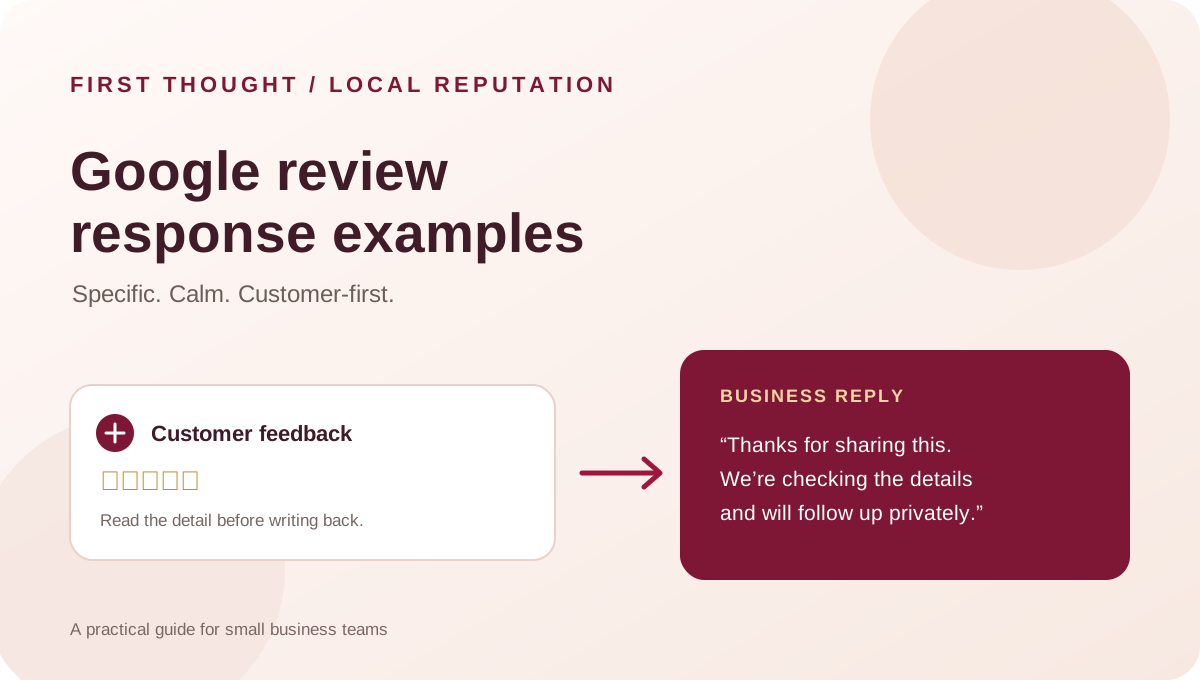
A useful Google review response acknowledges the actual feedback, stays factual, offers a reasonable next step and avoids sharing private details. Thank customers for specific positive comments. For criticism, recognise the concern without arguing in public, check the facts internally and invite the person to a suitable private channel when a case needs investigation.
These Google review response examples are starting points, not copy-and-paste promises. Replace every bracketed detail with something verified. According to Google Business Profile Help, only verified businesses can reply from their profile, and approved replies appear publicly beneath the review. Google says helpful replies can show that a business is responsive; its local-ranking guidance does not promise a particular position for an individual reply.
A four-part structure for a clear review reply
Use this simple structure as an editing aid, not a rigid script:
- Acknowledge the detail. Refer to the service, product or moment the reviewer actually mentioned. If the review has no text, do not invent a detail.
- Respond to the point. Say thank you, clarify a misunderstanding carefully, or recognise a service issue. Do not make a factual admission until you have checked what happened.
- Give a next step. For praise, a brief welcome back may be enough. For a concern, name a practical action or offer a private contact route.
- Protect privacy. Keep appointment, payment, order, health and personal details out of the public reply. Do not confirm a private relationship when doing so could identify someone.
A reply should sound like the business and fit the specific review. If it would still make sense under dozens of unrelated reviews, it is probably too generic.
Choose the right response before writing
| Review situation | Public reply should do | Next step |
|---|---|---|
| Positive review with a specific detail | Thank the person and reflect that detail accurately | Share the feedback with the team if useful |
| Star rating with no written comment | Offer a simple, proportionate thank-you | Do not guess what the visit involved |
| Mixed review | Acknowledge both the positive point and the stated concern | Check the concern and follow up if needed |
| Negative review with a clear service issue | Recognise the reported experience without becoming defensive | Investigate internally; offer an appropriate private route |
| Review that may be inaccurate | Avoid calling the person dishonest or publishing private records | Check records; explain only verifiable facts |
| Content that appears to violate policy | Keep any reply brief and non-accusatory | Report it through Google’s review tools for assessment |
The table is a practical editorial framework. Google decides whether a review breaks its policies; a business should not promise removal simply because it disagrees with the review.
Google review response examples for positive feedback
The examples below are illustrative drafts, not First Thought client replies. Adapt them only to facts your team can confirm.
A detailed five-star review
Review: “The team explained the options clearly and kept me updated.”
Example reply: “Thank you for mentioning the clear explanations and updates, [name]. We’re glad that communication helped. We appreciate you taking the time to share your experience.”
Why it works: it mirrors the feedback without adding a service claim the reviewer did not make.
A rating with no written comment
Example reply: “Thank you for the rating, [name]. We appreciate you choosing [business] and taking a moment to leave feedback.”
Do not guess whether the person visited a particular branch, met a specific employee or bought a particular product.
A repeat customer
Example reply: “Thanks for coming back to [business], [name]. We appreciate your continued support and are glad you chose us again.”
Use “coming back” only if the reviewer or your records make that context appropriate to acknowledge publicly.
How to reply to a negative Google review
Pause before replying. A short delay to verify facts is usually more useful than posting a defensive answer immediately. Use the response to show that the concern was read and to make the next step clear—not to conduct a public investigation.
Complaint about a delay
Review: “I waited longer than expected and no one explained what was happening.”
Example reply: “Thank you for letting us know. We’re sorry the wait and lack of an update made the experience frustrating. We’re reviewing how updates were handled. Please contact [appropriate team/contact route] and mention [non-sensitive reference process] so we can understand the visit.”
Only say that you are reviewing a process if someone has actually been assigned to do so. Do not publish the reviewer’s appointment time, booking record or staff schedule.
Complaint about a price or bill
Example reply: “Thank you for raising this. We understand that an unexpected charge needs a clear explanation. Please contact [billing contact] with your receipt or reference details so the team can review the account privately.”
Do not ask for payment or order details in a public reply. Do not state that a charge was correct until the relevant record has been checked.
The business cannot identify the visit
Example reply: “Thank you for sharing this. We can’t identify the situation from the information in the review, but we would like to understand it. Please contact [business contact] with the date and a private reference, and we’ll look into it.”
This wording does not accuse the reviewer of being fake. If the review appears to breach a Google policy, report it separately rather than using the reply to threaten or pressure the author.
A complaint the business has already addressed
Example reply: “Thank you for speaking with our team. We’re glad we could discuss the concern. We appreciate you bringing it to our attention.”
Use this only if the customer has actually spoken with the team and the wording does not reveal confidential details.
Mixed and neutral review response templates
Mixed feedback gives a business two things to notice. Acknowledge the positive point without using it to dismiss the criticism.
Example: “Thank you for the feedback about [positive detail]. We also hear your concern about [issue]. We’re checking what happened and would welcome a chance to discuss it with you privately at [contact route].”
For a neutral review with a suggestion:
Example: “Thank you for the suggestion about [specific feature]. We’ve shared it with [relevant team, if true]. We appreciate you taking the time to explain what would have made the experience more useful.”
Do not claim that a suggestion has been implemented, escalated or shared unless that action has happened.
Adapt review replies to the kind of business
| Business type | Safe detail to reflect | Avoid putting in public |
|---|---|---|
| Restaurant or café | A dish, service moment or atmosphere mentioned in the review | Reservation information, payment details or assumptions about dietary needs |
| Salon or studio | A service the reviewer chose to mention | Before-and-after claims or personal appearance details not offered by the reviewer |
| Clinic or healthcare provider | General thanks for feedback, without confirming a patient relationship | Diagnosis, appointment, treatment or patient-record details |
| Retail shop | Product range or general in-store experience, if mentioned | Order number, delivery address or account details |
| Professional service | A general communication or project-process point, if appropriate | Contract terms, confidential deliverables or private business information |
Sensitive sectors should have a manager review public replies. Even a well-meant confirmation can disclose a relationship the person did not intend to make public. If a case involves safety, payment disputes, threats or a formal complaint, follow the business’s internal escalation process before responding.
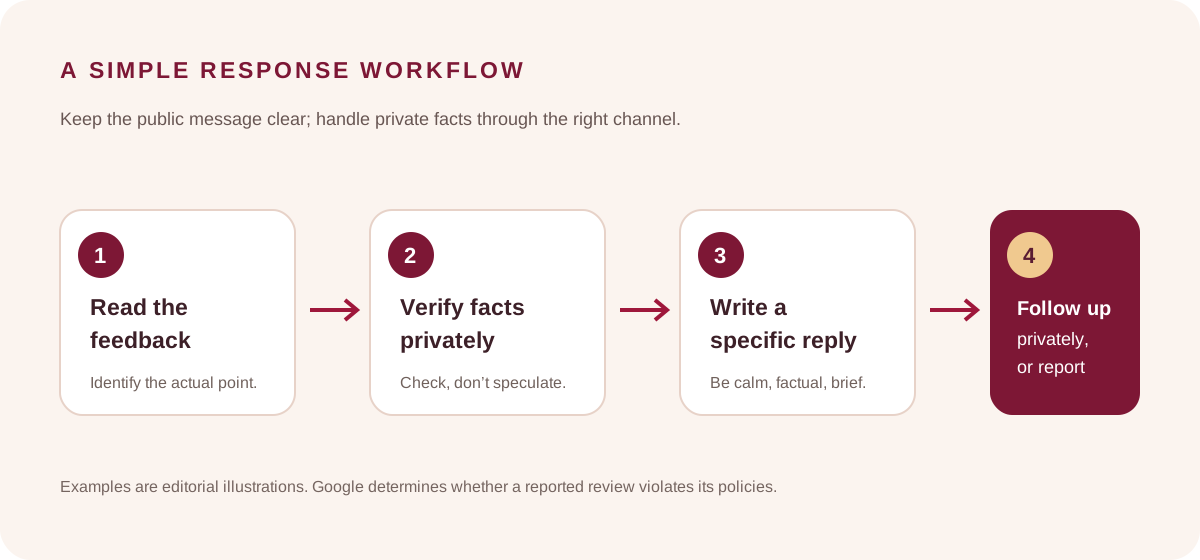
A five-step workflow for review replies
- Assign an owner. Decide who checks new reviews and who can approve a response. A named backup prevents a review queue from being forgotten.
- Read and classify. Note the concrete issue, any safety or privacy concern, and whether the review needs an internal fact check.
- Verify before stating facts. Check only the records and people needed. Do not paste customer data into public or unapproved AI tools to write a response.
- Draft in the business voice. Keep the reply specific, calm and proportionate. Remove private details, accusations, unsupported promises and repeated keyword phrases.
- Review and learn. Publish through the verified Business Profile, then assign any promised follow-up internally. Record recurring service themes without turning individual customer information into public content.
Google’s review-management guidance says the business must be verified before it can reply, and that Google reviews replies for policy compliance before they appear. An approved response is public under the review and the reviewer is notified. Check Google’s current interface and account guidance because platform workflows can change.
What not to do when replying to Google reviews
- Do not offer a reward for a review. Google prohibits incentives in exchange for posting, changing or removing a review.
- Do not ask only happy customers. Google says businesses must not discourage negative reviews or selectively solicit positive ones. An honest invitation should be available without pressure.
- Do not request a particular rating or wording. Ask for genuine feedback, not a five-star rating or a phrase containing search terms.
- Do not paste the same reply everywhere. Repetition can make a response feel inattentive and may fail to address the actual point.
- Do not put keywords into a reply for ranking. Mention a service or location only when it is naturally relevant to the conversation. A review reply is customer service, not an anchor-text opportunity.
- Do not argue, threaten or expose records. A public response is visible to future customers; keep it focused on the issue and the next step.
- Do not promise a review will be removed. Google evaluates policy reports. The platform, not the business, decides whether content violates its rules.
Google’s Maps review policy allows businesses to invite genuine feedback without incentives or attempts to influence the rating or content. It also prohibits pressuring people on-site or asking them to include specified text.
A reusable review-reply checklist
Before publishing, ask:
- Does the reply refer to something actually stated in the review?
- Is every factual statement checked?
- Does the response avoid private customer information?
- Is the tone calm and appropriate to the issue?
- Is there a useful next step for a complaint?
- Have we avoided incentives, pressure, selective review requests and rating demands?
- If a policy violation is suspected, have we reported it through the appropriate Google tool instead of making an unsupported public accusation?
- Does someone own any promised follow-up?
If a reply fails one of these checks, revise it or hold it for the appropriate manager. A response is part of the public customer experience, so it deserves the same fact-checking as other published business information.
Frequently asked questions
Should a small business reply to every Google review?
Google recommends responding to reviews as a way to show that customer feedback matters. Use a consistent process and prioritise replies that need a timely customer-service response. A short thank-you can suit a simple positive rating; a complicated complaint may need a manager and an internal fact check. Do not publish a rushed response just to clear a queue.
How do I reply to a negative Google review?
Acknowledge the specific concern, avoid arguing or sharing personal data, check relevant facts privately and offer a clear contact route if the case needs investigation. Do not label a reviewer dishonest because the business cannot identify the visit.
Can I use the same Google review response template for everyone?
Use a template as a checklist for tone and structure, then rewrite it for the actual feedback. Keep common phrases minimal and ensure every detail is accurate. The examples in this guide are illustrative and should not be posted unchanged when they do not fit the situation.
Does replying to Google reviews improve rankings?
Google says helpful replies can show that a business is responsive, and its local-ranking guidance lists relevance, distance and prominence as the main factors. That does not mean a particular reply, reply frequency or keyword phrase will move a listing to a specific position. No ranking outcome is guaranteed.
Can I offer a discount to get more Google reviews?
No. Google prohibits incentives such as discounts, payments, free goods or services in exchange for posting, revising or removing a review. Invite genuine feedback without pressure or a requested rating.
Can I ask Google to remove a negative review?
You can report a review that you believe violates Google’s content policies. Google decides whether it violates them. A review that is simply critical or that the business disputes is not automatically eligible for removal.
A practical next step
Choose one person to own review monitoring and one backup. Save the checklist above as an internal editing aid, define which complaints need manager review, and make sure the contact route in your replies reaches a real team member. If you are improving local discovery as a whole, read First Thought’s local-search guide and social media content brief guide. For help connecting customer-facing communication with a broader marketing plan, contact First Thought.
Sources & further reading
Google Business Profile Help: Manage customer reviews ↗Google Maps User-Generated Content Policy: Prohibited and restricted content ↗Google Business Profile Help: Tips to improve your local ranking on Google ↗Practical reply structures and examples are First Thought editorial guidance. All review excerpts and reply templates are hypothetical illustrations, not First Thought customer reviews or client results.