
The short answer
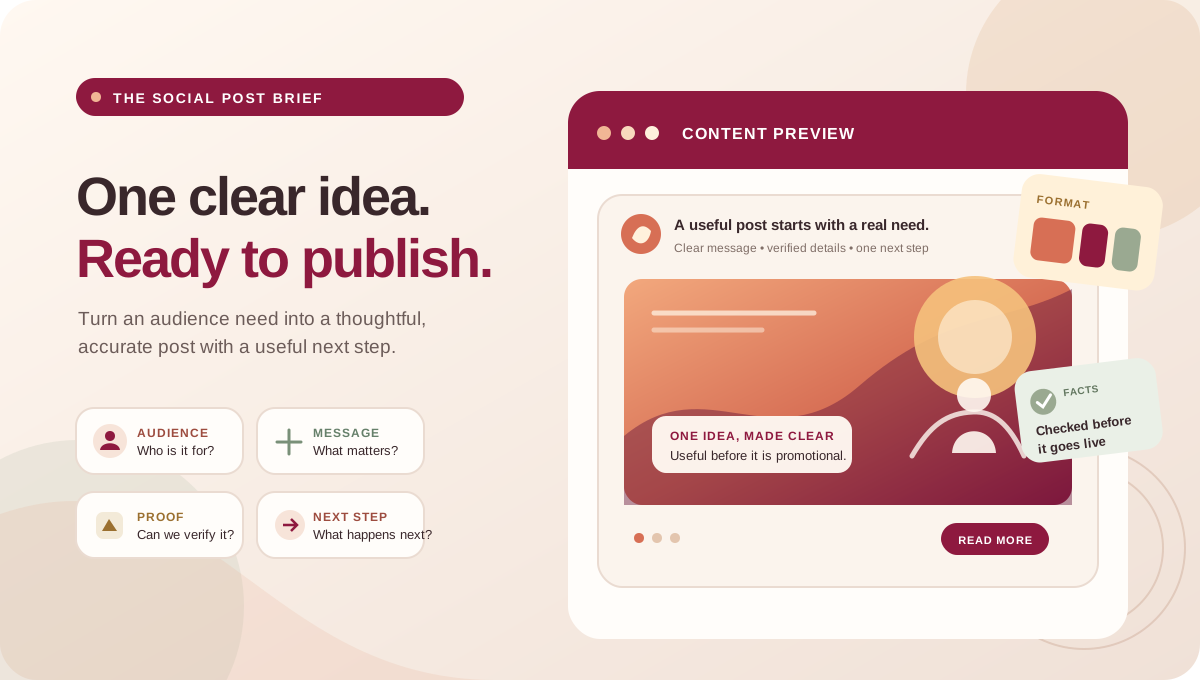
A social media content brief is a one-page instruction for making one post or a small group of related posts. It tells the writer, designer or video editor who the content is for, what the audience should understand, which facts must be accurate, what format to create and what next step to offer.
A useful social media content brief template reduces guesswork. It does not guarantee reach or sales, and it should not become a long form that slows a small team down. The goal is a shared, clear starting point: one audience need, one main message, a fitting format, approved source material and a named decision-maker.
A content brief is different from a calendar or a caption
These tools solve different parts of the work. The calendar says what is planned and when; the brief explains how one idea should be made; the caption is the final published copy. A post may need a calendar row, a brief and several final assets, but each should have a clear role.
| Tool | Main question it answers | Typical contents |
|---|---|---|
| Content calendar | What is planned, where and when? | Dates, channels, topics, owners, status and review notes. |
| Social media content brief | What should this particular post communicate and how should it be made? | Audience, objective, key message, evidence, format, CTA, approvals and constraints. |
| Caption and final asset | What will the audience actually see? | Approved words, visual, link, tags, accessibility text and publishing details. |
The brief-to-publish workflow
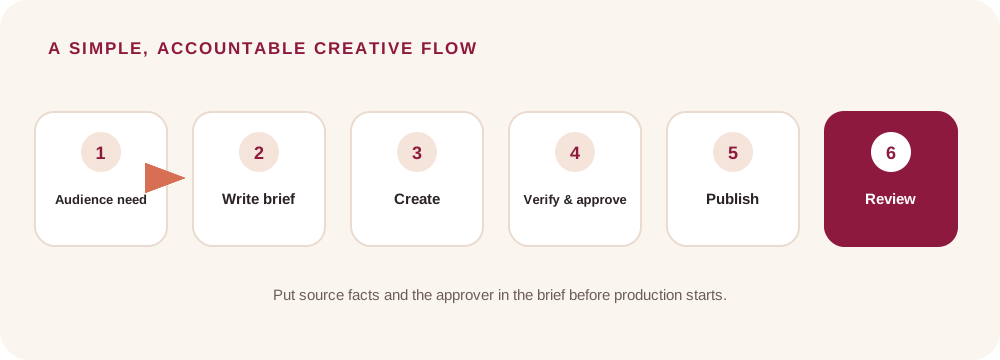
Start with a real audience question or business need. Write the brief before production, attach accurate source material, create the post, review it with the right approver and record what was published. After the review period, note what the team learned and use it to improve the next brief.
This keeps a small team moving without requiring a large agency process. One owner can coordinate the work, but each task still needs a person responsible for the facts, the creative and the final approval.
Copy-and-use social media content brief template
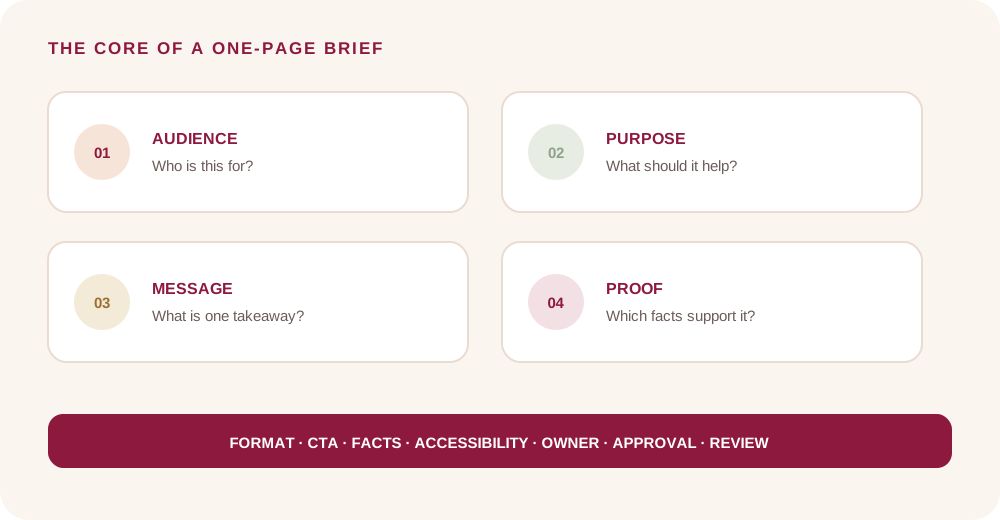
Copy this social media post brief template for each post or campaign asset. Remove fields that do not apply, and add specific requirements only when the format needs them.
| Brief field | Fill this in |
|---|---|
| Working title and date | A short internal label; planned publication date and current status. |
| Audience | Who should recognize this as relevant? Include their situation or question. |
| Purpose | What should this post help the business or audience do? Choose one main purpose. |
| Audience takeaway | After viewing, what is the one point the reader should remember? |
| Key message | Write the core idea in one plain sentence before adding supporting detail. |
| Supporting facts and sources | List verified details, links, dates, prices, eligibility and who confirmed them. |
| Format and platform | Choose a suitable format and destination account; note any platform-specific requirements. |
| Creative direction | Describe the visual, scene or structure. Link approved references; do not assume a reference grants usage rights. |
| Call to action and destination | State the next step and provide the exact approved URL, phone, form or message route. |
| Required and prohibited details | List required wording, caveats, claims to avoid, offer expiry or legal review. |
| Accessibility | Add descriptive alt text, captions for meaningful speech, legible on-image wording and contrast checks. |
| Owner and approval | Name the writer, designer or editor, factual reviewer and final approver. |
| Measurement and review | Choose a signal tied to the purpose, reporting dates and any known tracking limitation. |
How to fill each field without making the brief vague
Audience: avoid writing “everyone.” Describe the decision or question that makes this message useful. “People comparing repair options after a bicycle develops a gear problem” is more actionable than “people who like cycling.” Use real enquiries or customer questions where available; mark an assumption as a hypothesis if it has not been checked.
Purpose and takeaway: distinguish what the business wants from what the audience needs. “Get more enquiries” is a business aim. A post can first help a reader understand whether a service fits, how to prepare or what information to bring. Keep one main takeaway so the creative does not become a list of unrelated claims.
Key message and evidence: state the point before writing a hook. Add the source for every important factual claim: a current service page, approved product details, a policy, a responsible team member or a documented result with permission. If a fact cannot be verified, leave it out or mark it for confirmation.
Format: pick the format that makes the idea easiest to understand and that the team can actually produce. A process may suit a short sequence; several comparisons may need a carousel or article; a simple update may need only a static image and concise caption. Do not choose a trend first and search for a message afterward.
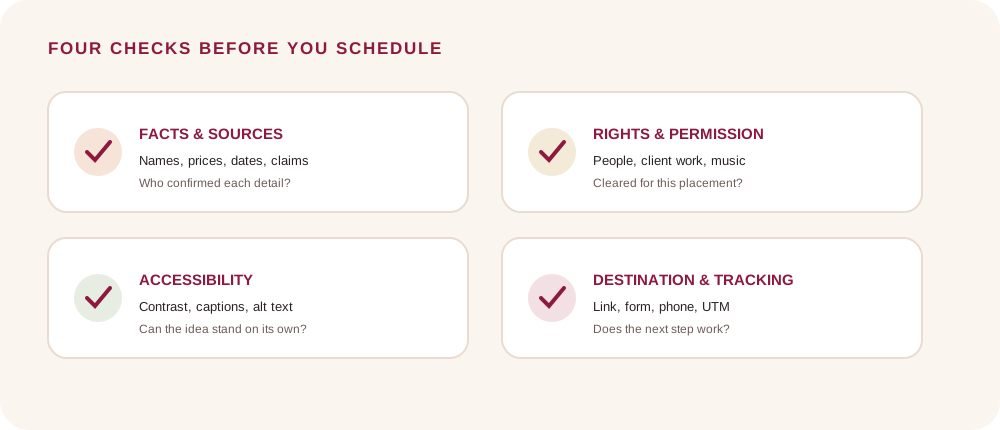
CTA: give one next step. “Learn more” is useful only when the destination explains what comes next. For a message CTA, say what information would help the first reply. Confirm that the link, phone number, price, hours and offer details are correct before scheduling.
Worked example: a fictional neighborhood repair shop
This example is fictional and demonstrates how to complete the template; it is not First Thought client work or a performance result.
Working title: “Three details to share before asking about a bicycle gear repair.” Audience: people whose gears are skipping and who are deciding what to tell a repair shop. Purpose: make the first service conversation more useful. Takeaway: share the bicycle type, the symptom and when it occurs. Evidence: have the shop owner verify the service wording and confirm whether any diagnostic fee or booking step applies before publication.
Format: a four-card Instagram carousel, with a short caption and an invitation to ask about availability. The cards explain the symptom, list the useful details, show one clear photo example using the shop’s own approved image, and end with the next step. CTA: message the shop with the bicycle type and a short description. Reviewer: the person responsible for service accuracy. Success signal: relevant repair enquiries that include enough detail to route the next conversation, if the shop records that information.
Adapt the same brief to different formats
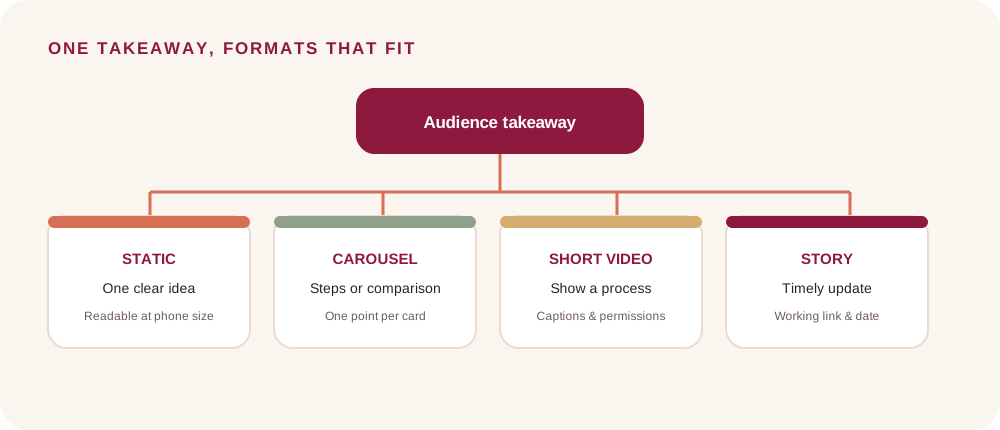
The core message should stay accurate, while the presentation changes to fit the placement. Start with the brief’s audience takeaway, then choose the simplest useful execution.
| Format | How to adapt | Check before publishing |
|---|---|---|
| Static image | One idea, a short headline and a clear caption. | Keep on-image wording brief and readable at phone size. |
| Carousel | Give each card one step in a logical sequence; end with the next step. | Check that the first card sets context and later cards do not depend on missing copy. |
| Short video | Show the idea or process; use a spoken or visual opening that earns attention without exaggerating. | Check captions, spoken claims, shot permissions and that the CTA remains visible or in the caption. |
| Story | Make the update timely and easy to act on; use a clear link or reply route where available. | Verify the link sticker, account feature availability and expiry or date details. |
| LinkedIn or longer copy | Add the context needed by a professional audience and keep the central point explicit. | Check names, role descriptions, claims and whether the link destination matches the post. |
Review accuracy, rights and accessibility
Before approval, verify names, prices, timings, service limits, offer terms and any comparison or result. If a post uses a client example, identifiable person, creator asset, music or customer quote, confirm permission and usage rights for the intended channels and any paid distribution. A public post is not automatically cleared for an advertisement.
Make the visual understandable without relying only on its image. Use readable contrast and type, add accurate alt text for informative graphics and captions for meaningful speech. Keep essential facts in the post text as well as in an image when possible. Instagram says its Professional Dashboard includes Best Practices guidance across areas such as creation, engagement, reach, monetization and guidelines; the account-specific guidance can change, so check the current dashboard rather than relying on a remembered rule.
Set a useful measurement before publishing
Measurement should match the post’s purpose. A post intended to answer a question may be reviewed through saves, replies or recurring customer questions. A post that sends people to a website may use tagged campaign links and website sessions. A lead-focused post should be evaluated with the business’s definition of a suitable enquiry when that information is recorded.
Google Analytics documents campaign parameters such as utm_source, utm_medium and utm_campaign for identifying campaign traffic in reports. Use a consistent naming convention, check that the landing page works, and never put personal information into a tracking URL. Platform reach or a click is not the same as a sale; report the period, available data and attribution limits.
Common brief problems and quick fixes
| Problem in the brief | Improve it by |
|---|---|
| “Make it viral” is the objective. | Name the business purpose and one audience takeaway; treat reach as uncertain. |
| The audience is “everyone.” | Describe the relevant situation, question or decision. |
| Several messages compete in one post. | Choose one main point and move secondary information to another asset or destination. |
| The designer has no source facts. | Attach current references and name who can verify missing details. |
| The CTA says only “DM us.” | Explain what to send and what the audience can expect next. |
| The calendar has no approval owner. | Name one final approver and set a review deadline before publication. |
| The post has no review measure. | Choose a signal connected to the purpose and state what data is available. |
Frequently asked questions
How long should a social media content brief be? Long enough for someone else to make the post accurately without guessing. For a straightforward post, the template can fit on one page. A regulated claim, partnership or multi-asset campaign may need more review detail.
Is a social media content brief the same as a creative brief? They overlap. A social media brief adds channel, audience behavior, CTA, publishing details and platform-specific accessibility or usage checks. A broader creative brief may cover a campaign concept across several channels.
Can I use one brief for Instagram, Facebook and LinkedIn? You can begin from one core message if it is relevant to all three, then specify the format, copy, link and checks for each placement. Do not assume that identical assets or captions suit every platform.
What if I do not have analytics? Set a practical observation before publishing, such as recording common questions or tracking enquiries through an existing process. State clearly when you cannot connect outcomes to a post; do not invent attribution.
How does a brief fit with a monthly calendar? The calendar tracks planned work and status. Link each row to its brief, source assets and final approval so the team can move from idea to publishable content.
A practical next step
Use the template for the next post that needs more than a quick caption. Fill in the audience, purpose, takeaway, facts, format and CTA first. Then name the approver, confirm permissions and choose one useful review signal. First Thought’s social media service page explains our content and publishing support; contact the team with your channel, goal and current workflow to discuss fit.
Sources & further reading
Instagram: Introducing Best Practices, an Education Hub for Creators ↗Google Analytics: URL builders and UTM parameters ↗First Thought social media marketing service ↗Contact First Thought ↗The repair-shop example is fictional and instructional. It is not a client case study or performance claim. Check current platform settings and account-specific guidance before publishing.