
The short answer
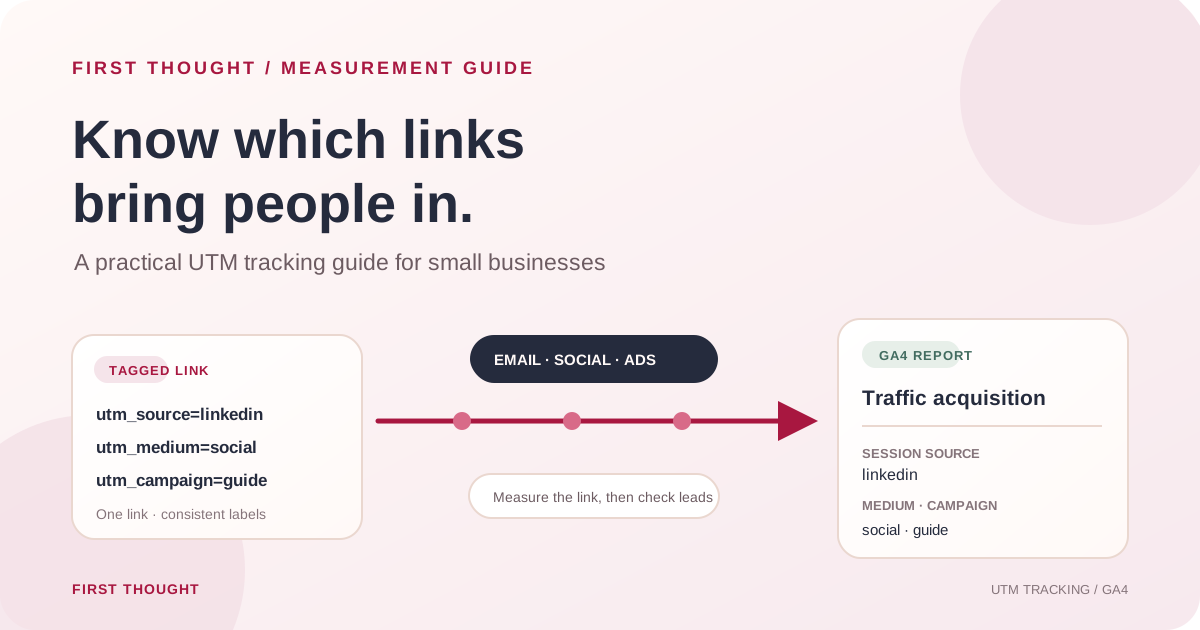
UTM parameters are labels added to a destination link so an analytics platform can identify which tagged campaign sent a visit. For a basic GA4 setup, use a consistent utm_source, utm_medium and utm_campaign on the links you control, then review the resulting session source, medium and campaign in Reports → Acquisition → Traffic acquisition. Keep the names lowercase and stable, test a link before sharing it, and never put a person’s name, email address, phone number or other personal information into a UTM value.
UTMs help answer “which tagged link brought this session?” They do not prove that a campaign caused a sale, capture every visit, or replace a CRM and sales record.
What UTM tracking can tell you
UTM tracking gives campaign links descriptive labels. When a visitor arrives through a tagged link and analytics collection is working, GA4 can use those labels in its traffic-source reporting. The Traffic acquisition report focuses on sessions and includes dimensions such as Session source, Session medium and Session campaign. Google distinguishes this from User acquisition, which is focused on new users. Google Analytics: URL builders · GA4 Traffic acquisition report
This is useful when the same website receives visits from several channels: a link in an email, an organic social post, a paid campaign, a partner page or a printed QR code. A consistent label can help a team compare the sessions associated with each campaign in one report.
UTMs have limits. They are not a person-level identity system, do not guarantee complete attribution, and do not tell you whether a visitor became a qualified lead. A click is not the same as an enquiry, a qualified opportunity or revenue. Connect campaign reporting to form and CRM records where appropriate, and interpret the results with those limitations in view.
The five common UTM fields
Google documents several campaign parameters. For many manually tagged links, start with these five:
| Parameter | What it labels | Example value |
|---|---|---|
utm_source | The referring platform or publisher | linkedin, newsletter |
utm_medium | The broad marketing method | organic_social, email |
utm_campaign | The specific initiative | october_measurement_guide |
utm_content | A link or creative variation | carousel_end_slide, header_link |
utm_term | A paid keyword or targeting term when relevant | local_seo |
For a basic manual campaign, source, medium and campaign are the core labels. Add content or term only when the team will use the distinction. Google Analytics also documents fields such as utm_id and utm_source_platform; choose them when they match your reporting needs and your tagging process can keep them consistent. Avoid using manual UTM tags on ad-platform links that are already managed by an integration and auto-tagging unless the platform guidance and your measurement setup call for it.
Choose a naming system the team can maintain
UTM values become reporting labels. If one campaign is tagged as October_Guide, another as october-guide, and a third as oct-guide, the report can show separate rows for what the team intended as one effort. Google notes that campaign parameter values are case-sensitive and recommends consistent values. A practical house convention is lowercase, words separated by underscores, and a short approved vocabulary for sources and mediums. Google Analytics: URL builders and UTM best practices
Before launching, write down a small dictionary. For example:
| Use | Preferred value | Avoid mixing with |
|---|---|---|
| LinkedIn unpaid post | linkedin / organic_social | LinkedIn, social, social-media |
| Email newsletter | newsletter / email | emailblast, mail, newsletter1 |
| Paid Meta campaign | meta / paid_social | facebook, fb_ads, paid-social |
| Google paid search | google / cpc | googleads, paid_search (unless your dictionary explicitly standardizes it) |
These are sample labels, not mandatory Google values. Agree what fits the business and keep it documented. A small consistent vocabulary is more useful than a complicated one no one follows.
Examples: tag a campaign link
Start with the destination page you want people to visit. Add a question mark if the URL has no query string, then add the parameters as key=value pairs joined by ampersands. If the destination already has a query string, add new parameters with & instead of a second ?.
Email example
https://www.example.com/guide/?utm_source=newsletter&utm_medium=email&utm_campaign=october_measurement_guide&utm_content=feature_link
Organic social example
https://www.example.com/guide/?utm_source=linkedin&utm_medium=organic_social&utm_campaign=october_measurement_guide&utm_content=carousel_end_slide
Paid social example
https://www.example.com/guide/?utm_source=meta&utm_medium=paid_social&utm_campaign=october_measurement_guide&utm_content=creative_a
Replace www.example.com with the real landing-page domain. Use Google’s Campaign URL Builder or a team-approved spreadsheet formula to assemble links, then open each final URL in a browser. Check that it reaches the intended page, redirects correctly, and retains the campaign parameters through the redirect. Avoid manually retyping a long tagged URL into a post.
How to read tagged traffic in GA4
Once the Analytics tag is installed, configured and collecting data, open Reports → Acquisition → Traffic acquisition. Review the session-scoped source, medium and campaign dimensions. The exact report menu may differ if a property’s report collection has been customized. If the report is missing, Google says an Editor or Administrator can add it back to the report navigation. GA4 Traffic acquisition report
Use the report as a starting point, not a final verdict. Compare like with like: the same date range, landing-page intent, campaign objective and relevant outcome. If a campaign is meant to generate enquiries, add a clearly defined enquiry event and check it against the actual leads recorded by the team. For lead quality and follow-up, use the business’s CRM or lead log as the source of truth.
If the report shows (not set), unexpected source names or a large direct/none group, check whether the right parameters were present, whether redirects stripped them, and whether analytics consent or tags allowed collection. Google lists missing campaign information, redirects and other causes among possible reasons for direct traffic. A UTM label cannot fix an Analytics tag that is absent or not firing.
A simple tracking workflow
- Agree the question. Decide what the team needs to learn, such as which tagged email links bring visits to a specific guide.
- Choose the destination. Use the page that matches the message and campaign promise.
- Use the naming dictionary. Select source, medium and campaign names from the shared list.
- Add only useful detail. Use
utm_contentto distinguish versions only when you will compare them. - Build and test the link. Confirm the landing page opens, query parameters remain, and the final URL is correct.
- Record the link before publishing. Save the date, platform, campaign, destination and owner in one shared tracker.
- Review the same report window. Give analytics time to collect data, then compare sessions and meaningful business outcomes over matching periods.
- Write down the next decision. Record what you learned, what remains uncertain and what you will change or test next.
Copyable campaign tracking sheet
| Launch date | Owner | Source | Medium | Campaign | Content | Landing page | Final tagged URL | QA complete? | Outcome to review |
|---|---|---|---|---|---|---|---|---|---|
| YYYY-MM-DD | Name/role | organic_social | october_measurement_guide | carousel_end_slide | /guide/ | Paste tested URL | Yes/No | Sessions, enquiries, lead quality |
Keep the sheet operational: one row per distinct link you plan to report on. Do not store customer details in the UTM fields. Keep access limited to the team members who need the tracking sheet.
Common UTM mistakes and privacy checks
- Inconsistent spelling or case: standardize values before links go live; GA4 can separate differently cased values.
- Tagging links to your own pages: internal campaign tags can overwrite or complicate acquisition context. Use UTMs for external campaign links and consult Analytics documentation for internal campaign measurement.
- Adding UTMs to every link indiscriminately: tag the links whose source you control and want to analyze; do not turn normal site navigation into a campaign source.
- Forgetting a useful destination: a correct tag cannot compensate for a page that does not answer the promise made in the post or ad.
- Assuming visits equal results: use a meaningful enquiry event and check actual lead quality and sales follow-up separately.
- Putting personal details into labels: never include a person’s name, email, phone number or other personal data in a UTM value. Google says URLs and campaign parameters must be free of personally identifiable information; its Analytics guidance specifically includes campaign dimensions among the places to avoid sending PII. Google Analytics: avoid sending PII
- Assuming a zero means no visitors: first confirm the Analytics tag, consent behavior, property and date range. A non-receiving or misconfigured property cannot provide a reliable traffic total.
Frequently asked questions
Do UTM parameters improve SEO rankings?
No. UTM parameters are campaign labels for measurement; they are not a ranking technique. Use clean canonical page URLs for search indexing, and keep tagged campaign links out of places where they could create duplicate URL variants in a way your site does not handle properly.
Do UTM links work if GA4 is not installed?
The labels can still appear in the clicked URL, but GA4 cannot report visits from them if its measurement tag is not collecting data. Confirm the tag and applicable consent setup before relying on the report.
What is the difference between source and medium?
Source describes the publisher or origin, such as linkedin or newsletter; medium describes the method, such as organic_social or email. Use one consistent mapping in your campaign dictionary.
Should every post have its own campaign name?
Not necessarily. Use one campaign value for the initiative you want to evaluate, and use utm_content for variations you genuinely intend to compare. Keep the structure simple enough to maintain.
Can I put a customer’s email address in utm_term or utm_content?
No. Do not put personally identifiable information in any UTM field. Use a non-identifying campaign or creative label instead.
A practical next step
Pick one upcoming campaign, agree its source/medium/campaign labels, and test one tagged link before publishing. Then review the GA4 Traffic acquisition report and compare it with the business’s own enquiry records. If the team cannot confirm that GA4 is receiving data, fix and verify measurement before drawing conclusions from campaign traffic.
Sources & further reading
Google Analytics: URL builders and UTM parameters ↗Google Analytics: Traffic acquisition report ↗Google Analytics: Avoid sending personally identifiable information ↗Practical frameworks are First Thought editorial recommendations. Hypothetical examples are not client results.